Overview
A growing marketplace that needed to earn trust faster
TiriVelo connects pet owners with trusted service providers. Working in a cross-functional team with the CEO, engineers, and marketing, I helped expand the marketing and onboarding website, improving onboarding clarity, refining navigation, strengthening trust, and lifting conversion. I balanced business goals, user needs, and feasibility throughout, building on the existing design system so every new page integrated cleanly.
Scoped the highest-impact work
From the expansion roadmap, I owned four areas where clarity and trust most directly affect conversion.
Booking lifecycle
Request → confirmation → care report → review, designed end to end.
Partnerships page
University & design-program partnerships that build credibility and brand story.
Legal Hub
A single, scannable home for legal, privacy, and policy information.
Newsletter sign-up
A two-path acquisition flow for pet providers and pet owners.
Designed the booking lifecycle around trust
The centerpiece: a six-stage journey that replaces post-booking anxiety with clarity, and turns one good service into the next booking. Each stage has a single job.
Key decision
Surface every state, even when it means more steps
A lighter flow with fewer touchpoints was on the table. I chose to surface booking states, care updates, and confirmations throughout instead, because reducing uncertainty and earning trust mattered more than keeping the journey short. When someone is handing over their pet, feeling sure at each step is worth the extra steps.
Booking request in chat
A request card summarizes service, date & time, location, and price. Reduce friction by keeping booking and communication in one place.
Upcoming booking appears
Once accepted, it surfaces automatically in chat. Reassurance and visibility right after provider approval.
Booking confirmed
A success screen repeats the details, offers add-to-calendar and share, and sets a "what happens next." Replace anxiety with clarity and preparedness.
Service completed
A completion notice with a summary and clear next step. Bridge the gap between service done and trust earned.
Care report
Visit activities, photo updates, and provider notes. Turn a completed service into proof of care.
Review
A rating and feedback captured at the satisfaction peak, with a prompt to book again. Drive reviews and repeat bookings.
The booking → confirmation → care → review journey, screen by screen. Tap any screen to enlarge.
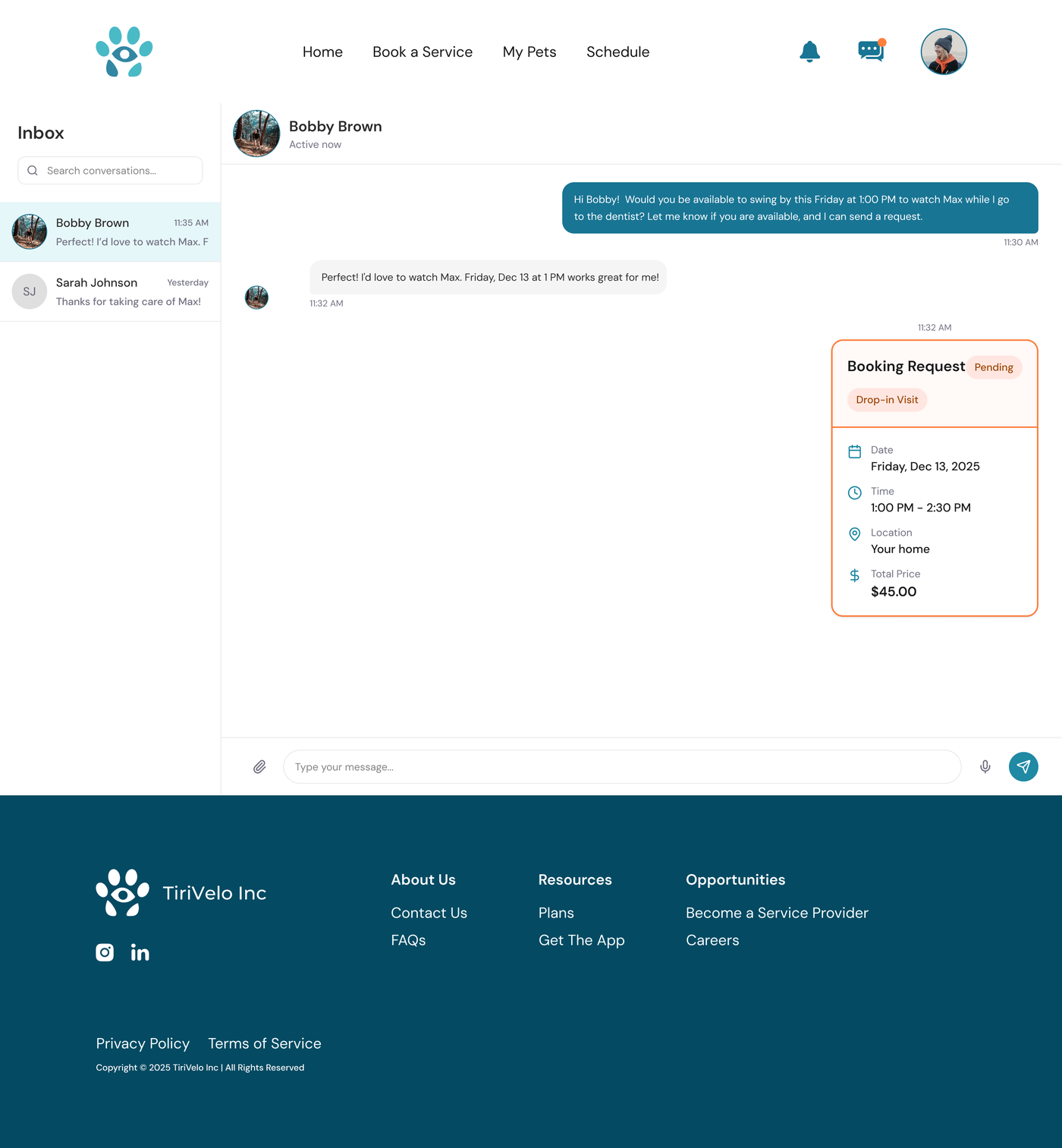
The request card sits inside the conversation, keeping booking and chat in one place.
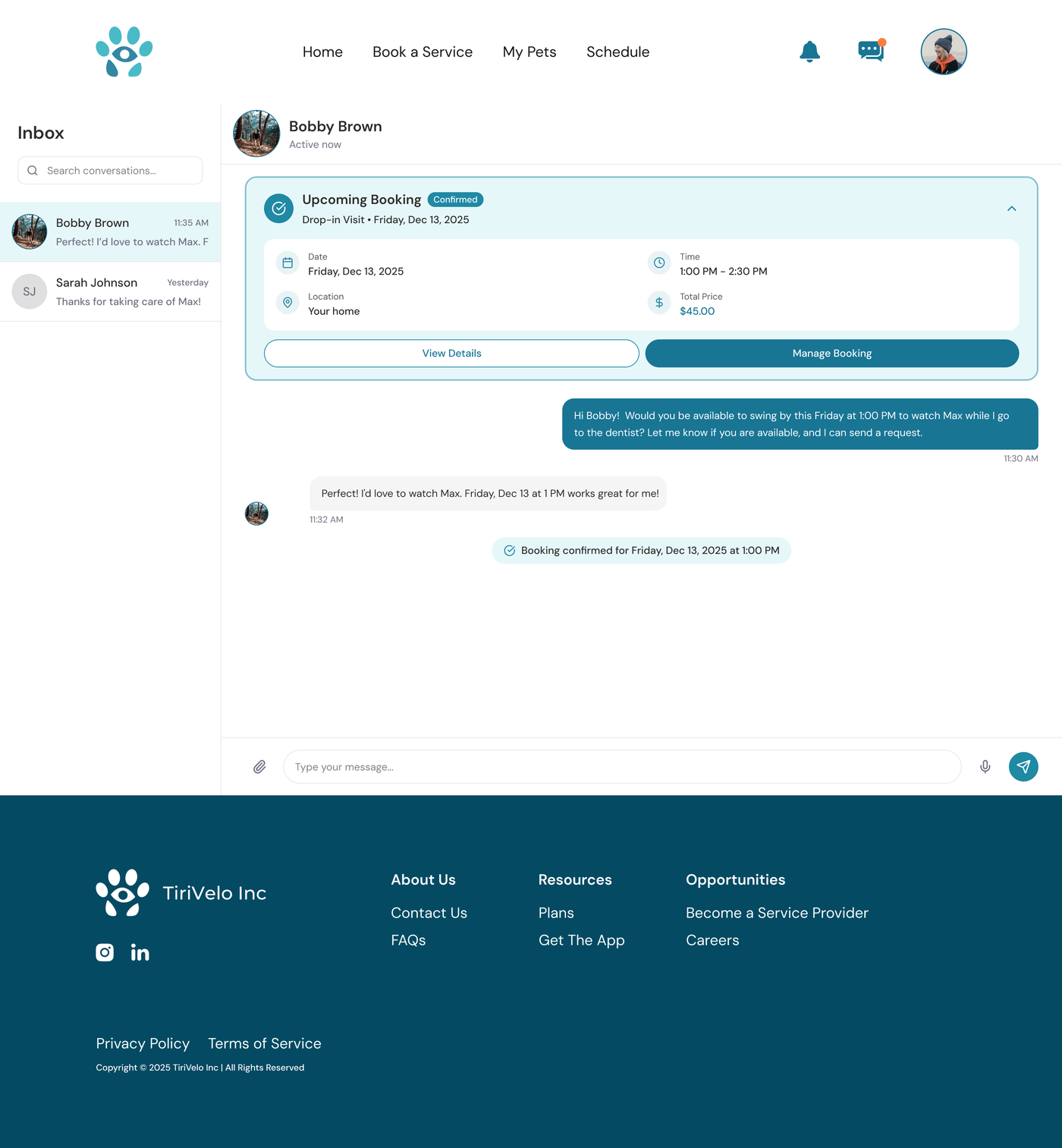
Once accepted, a confirmed booking surfaces automatically in the thread.
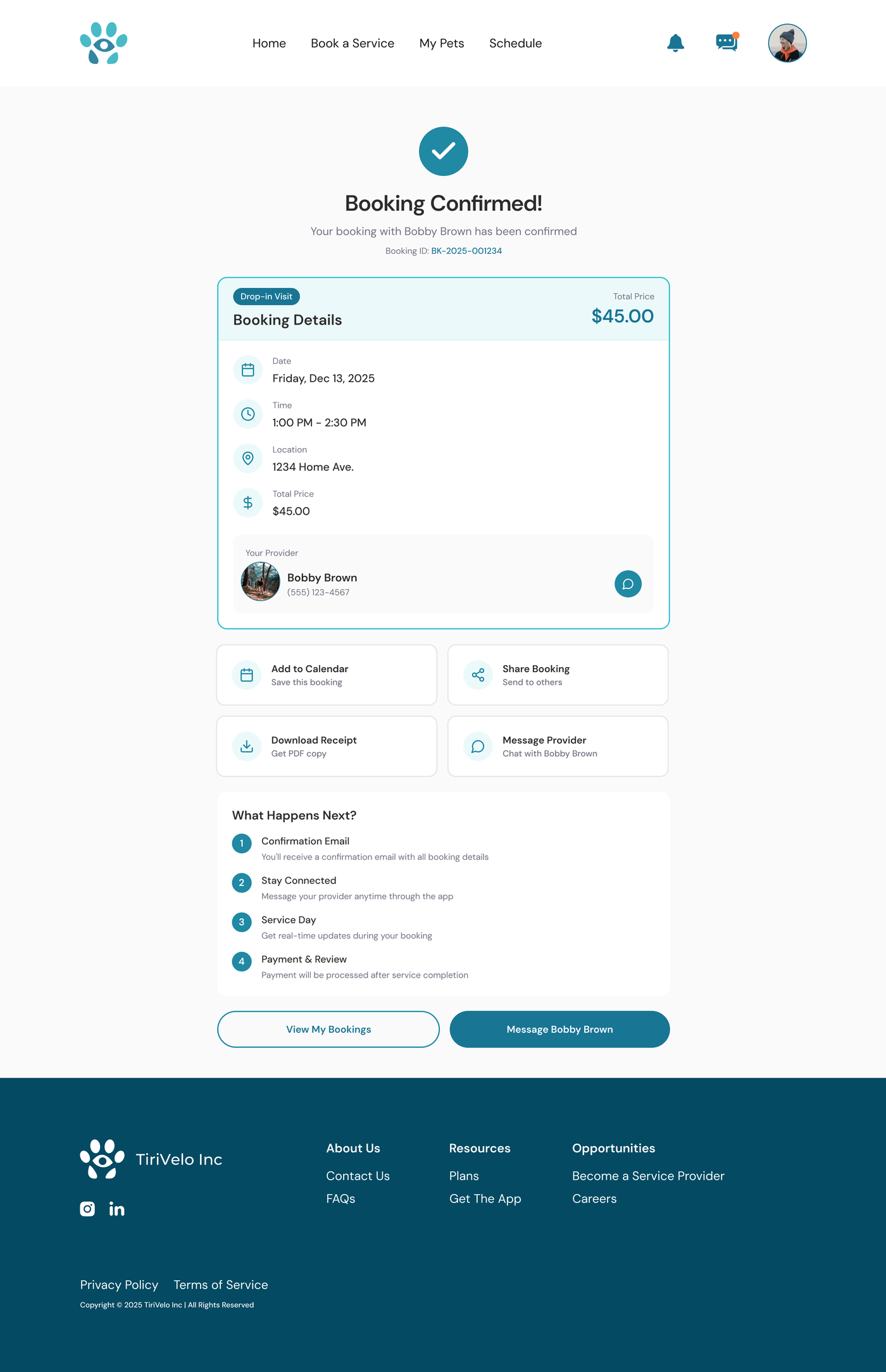
A dedicated success state repeats details and sets expectations for the day.
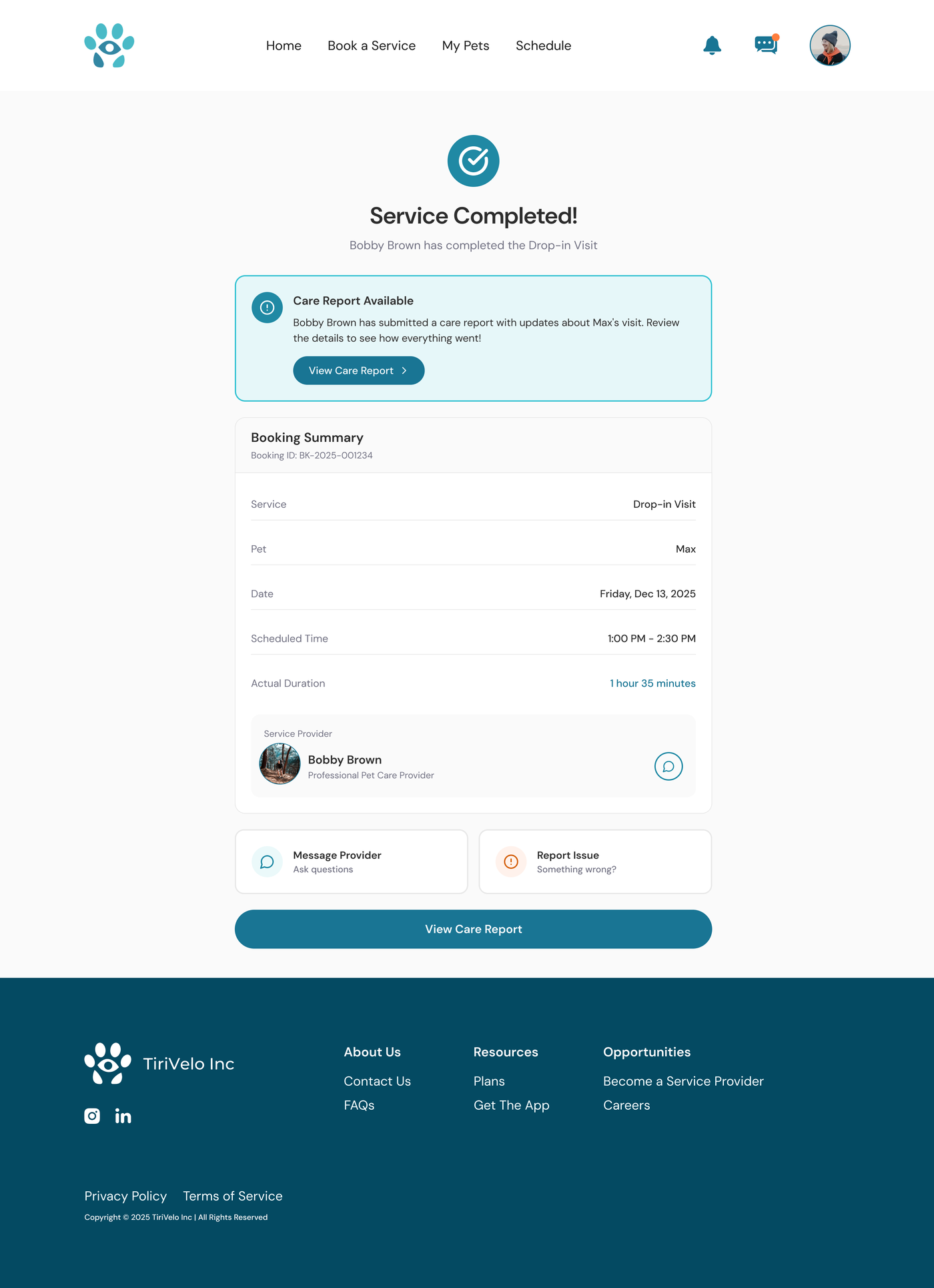
A completion notice bridges the gap between service done and trust earned.
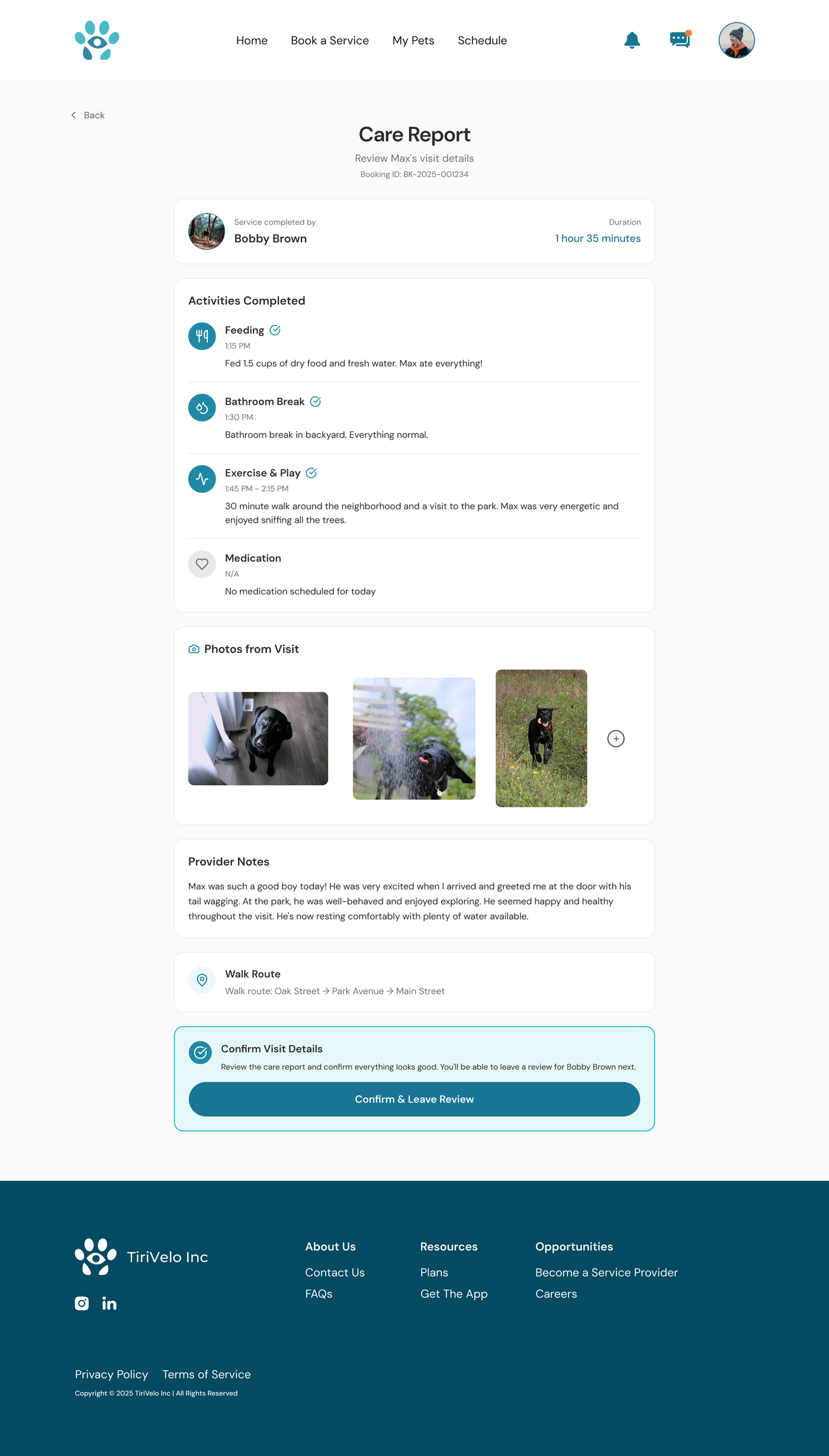
Activities, photos, and notes turn a finished visit into visible proof of care.
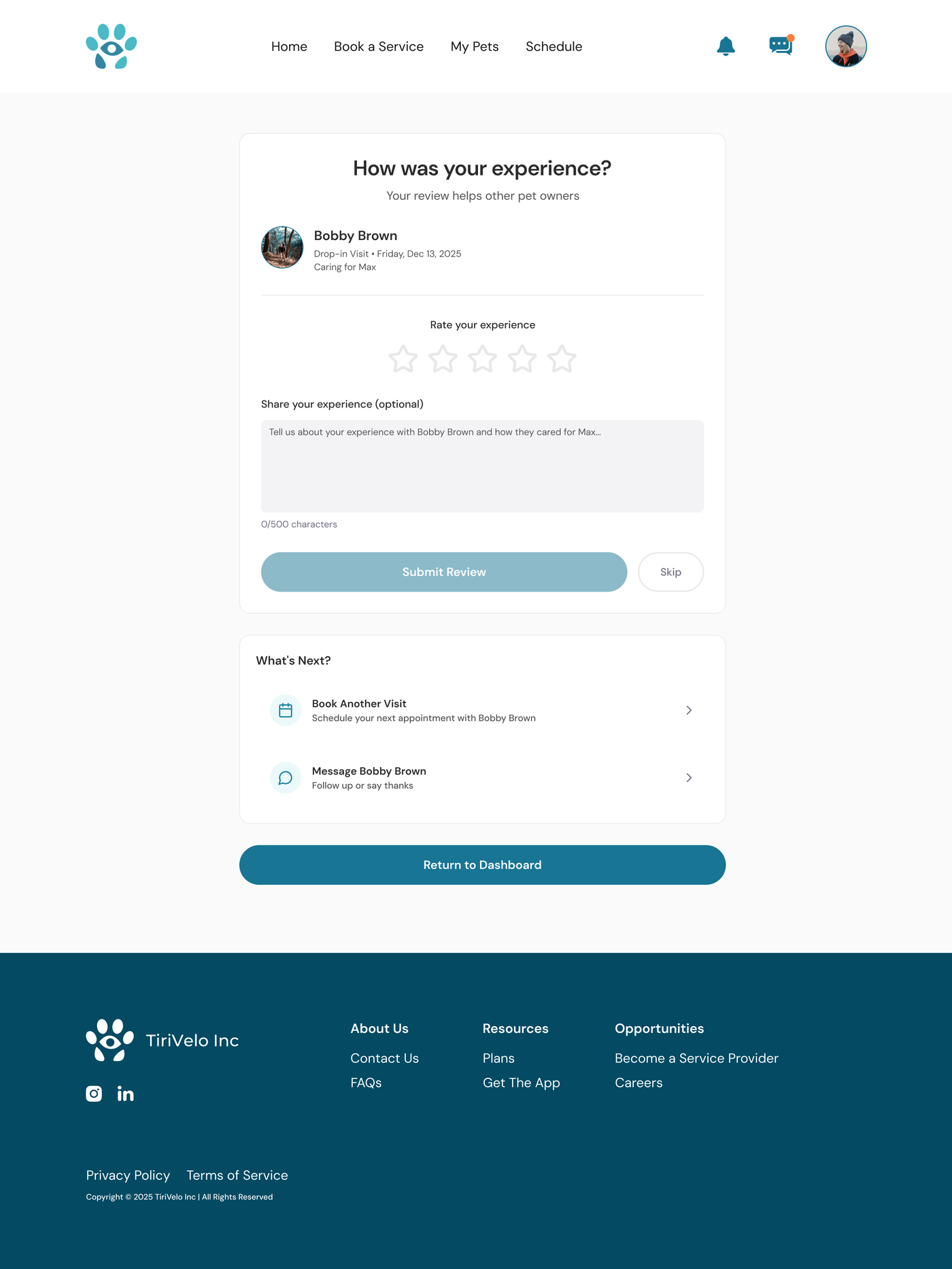
Feedback captured at the satisfaction peak, with a nudge to book again.
From the annotations · why each step earns trust
- Booking lives inside the conversation, so confirmation never leaves the chat and communication stays centralized.
- Every step repeats the essentials (date, time, location, price) to remove uncertainty and reinforce trust at each handoff.
- The care report turns a finished visit into proof of care, and the review is captured at the satisfaction peak to drive repeat bookings.
Built pages that make the platform feel credible
- University & Design Partnerships: "Building the future of pet care through university & design partnerships," with a credibility hero, "why it matters" cards, a partner grid, and impact stats showing TiriVelo collaborates with respected institutions.
- Legal Hub: centralized, scannable access to policies that builds confidence before booking, and reduces support requests through self-serve answers.
- Newsletter sign-up: a guided flow: "Stay connected" → "Tell us about yourself" → "What interests you most?" → "You're all set", split for pet providers and pet owners, with value framed as instant quotes, exclusive offers, expert content, and event invites.
Key decision
A guided sign-up over one long form
I split the newsletter into a short, step-by-step flow rather than a single-page form, to cut cognitive load and decision fatigue so more people reach the end. The tradeoff: a guided path offers less customization than a full form on one screen, which I judged a fair price for higher completion.
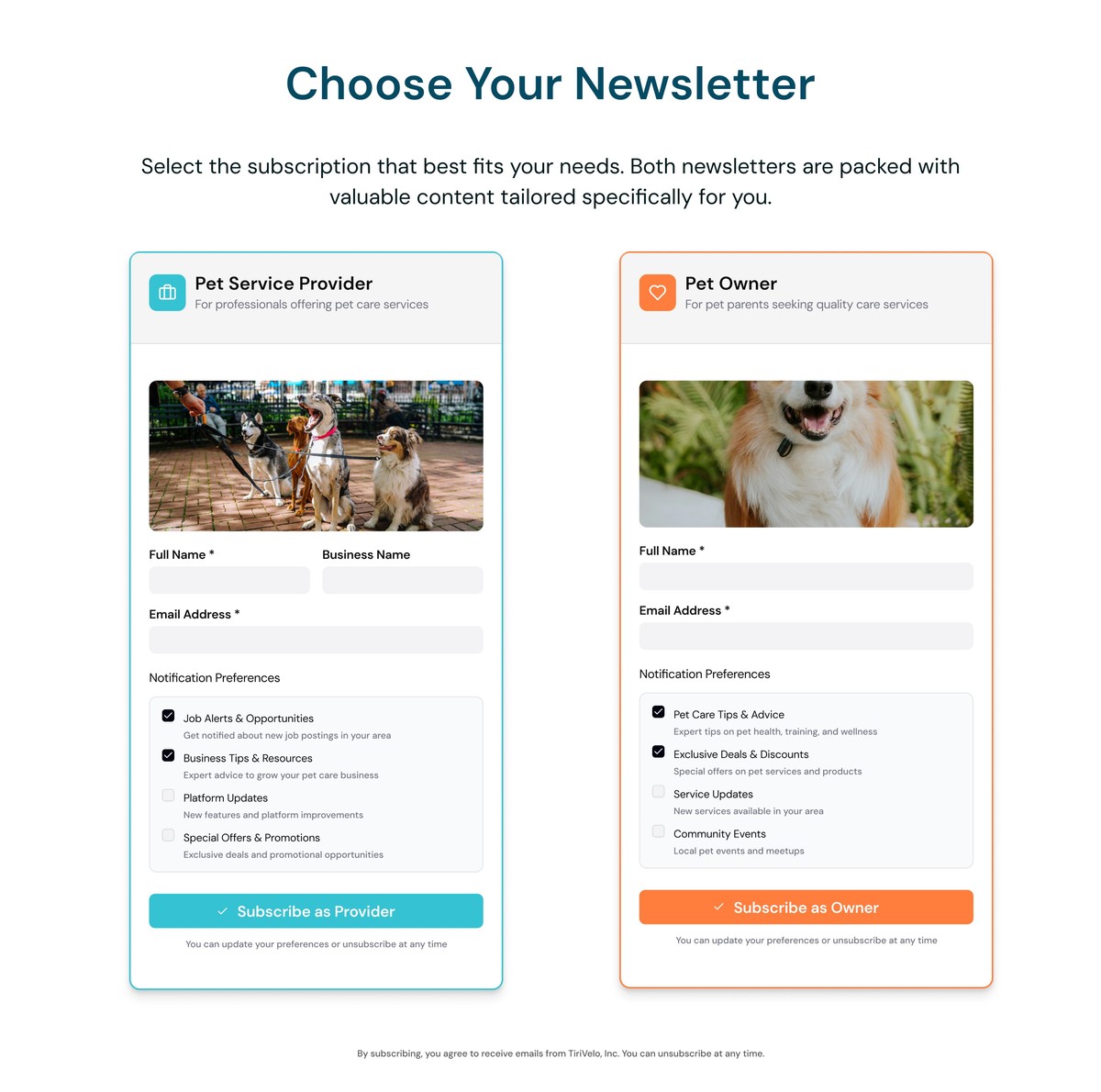
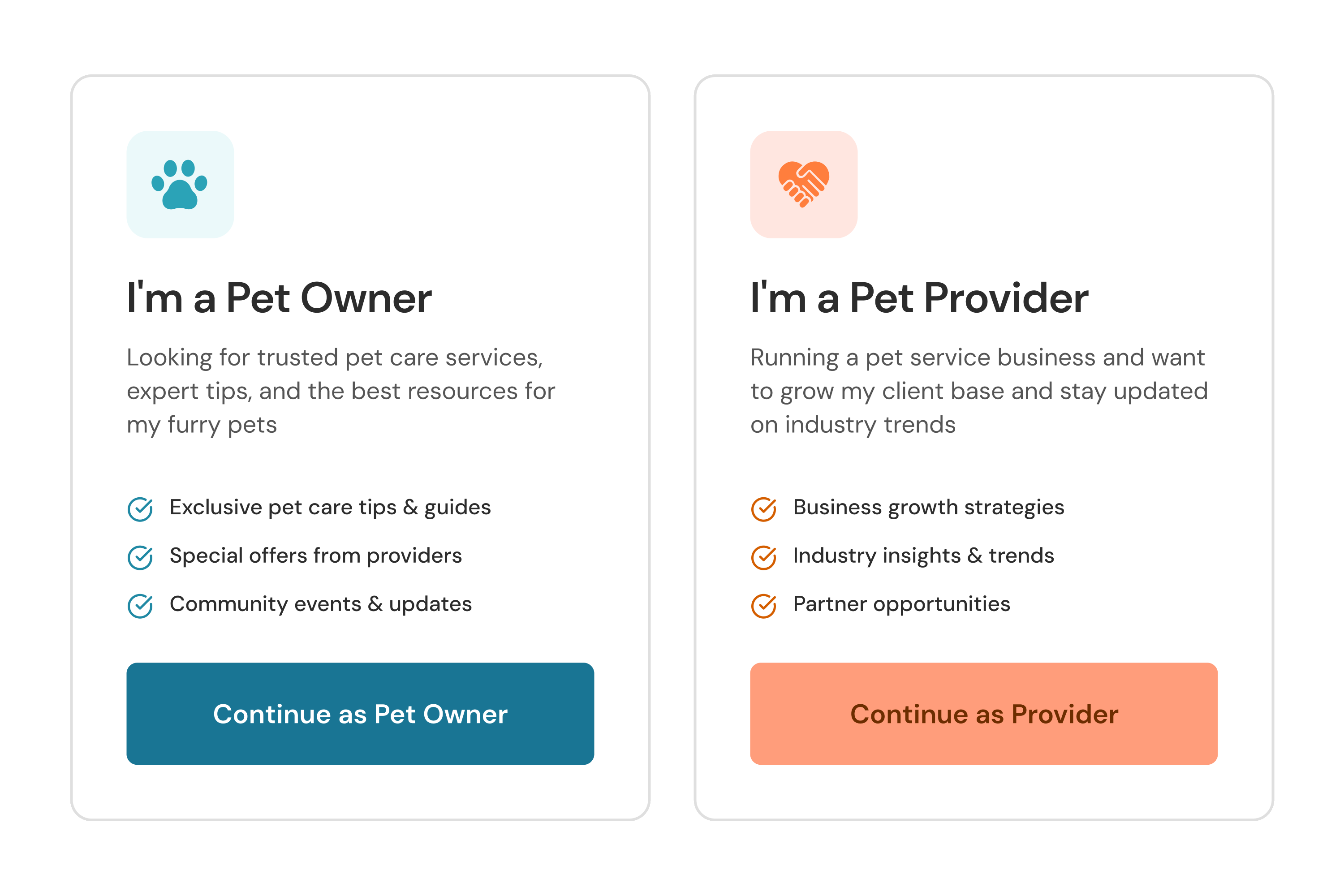
One page. Two parallel forms, each with its own fields and four preference checkboxes to weigh before you can submit.
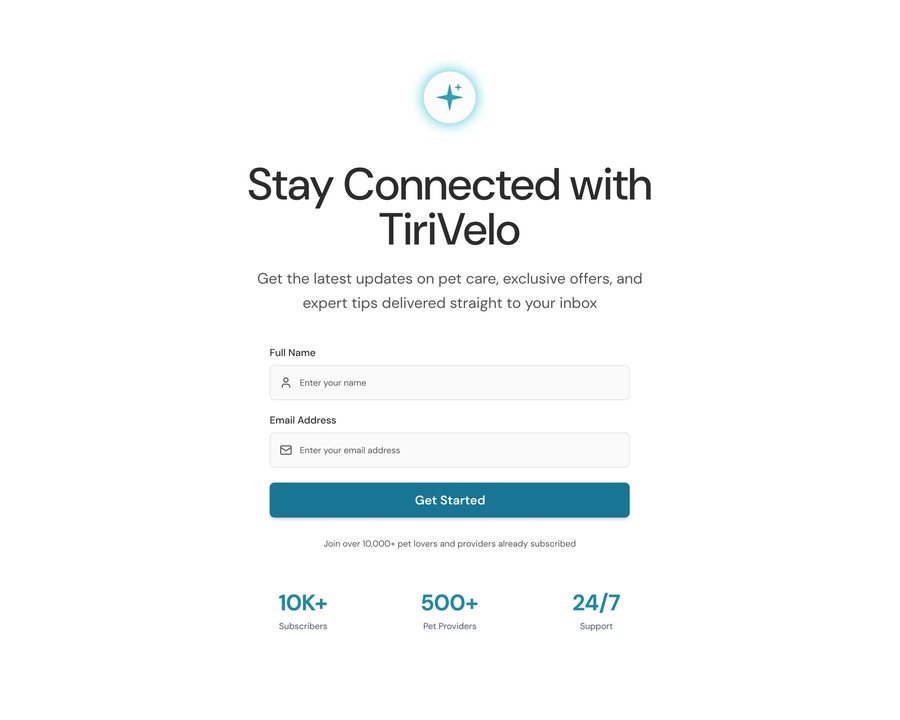 01 · Email
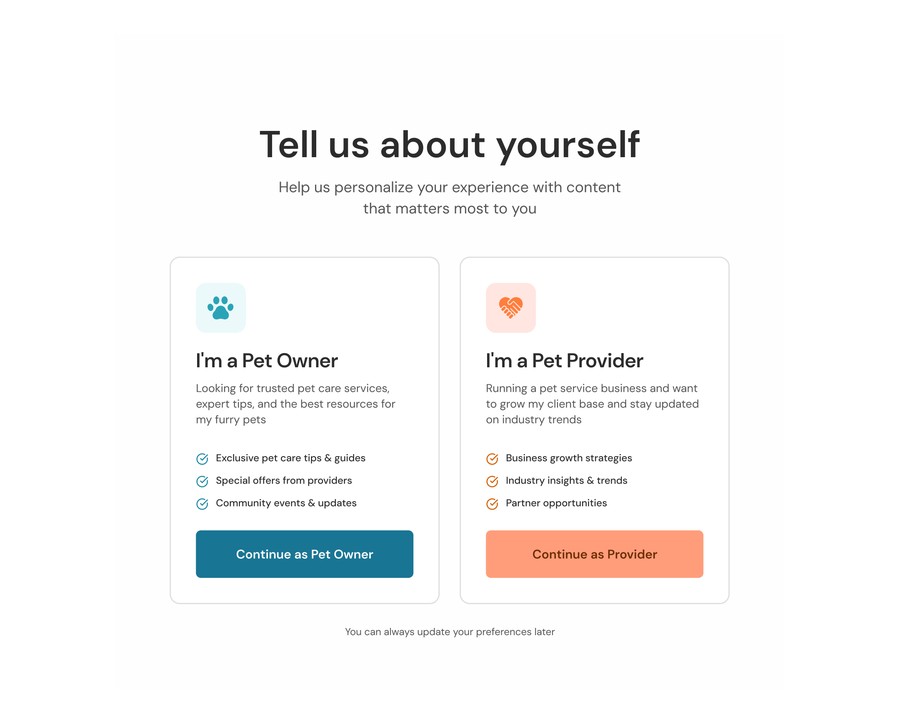 02 · Who you are
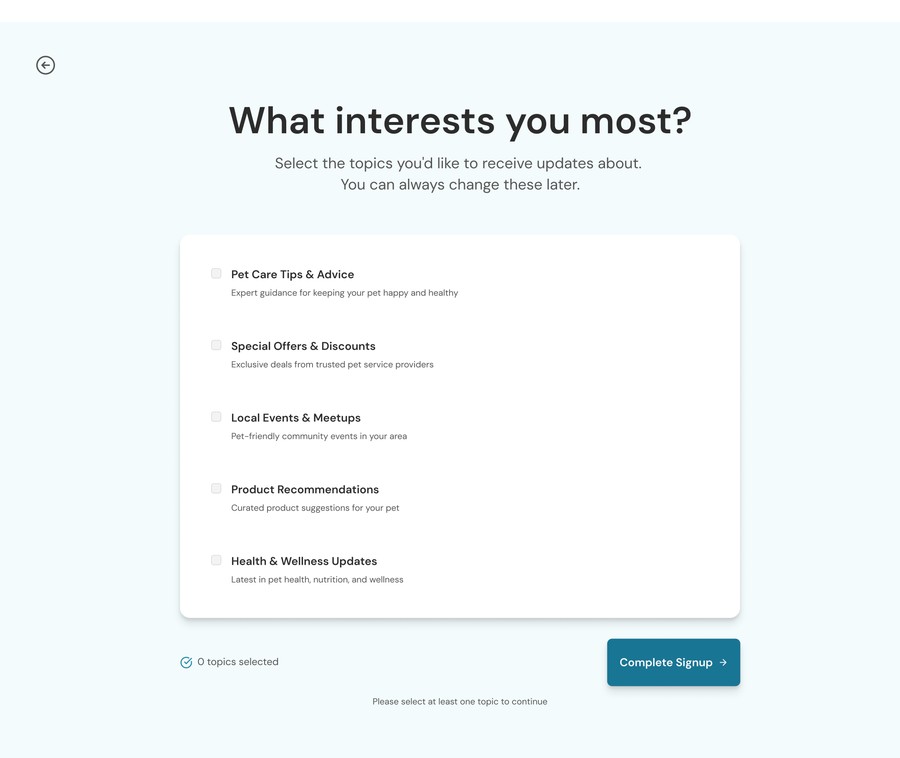 03 · Interests
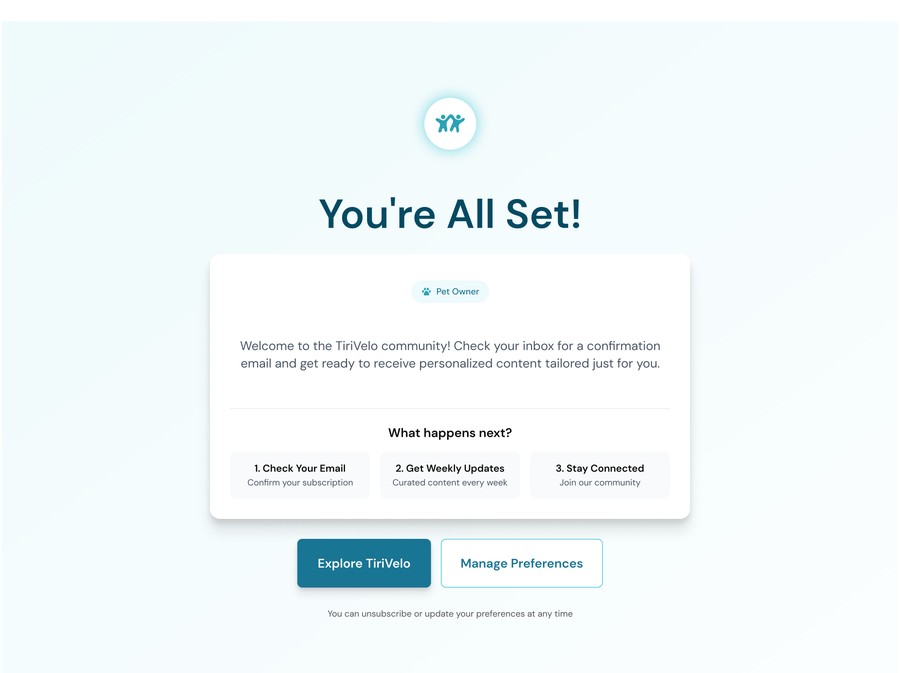 04 · Done
Four short steps. Email first, then who you are, then what you want, then done. Step 02 is the chooser at the top of this case study.
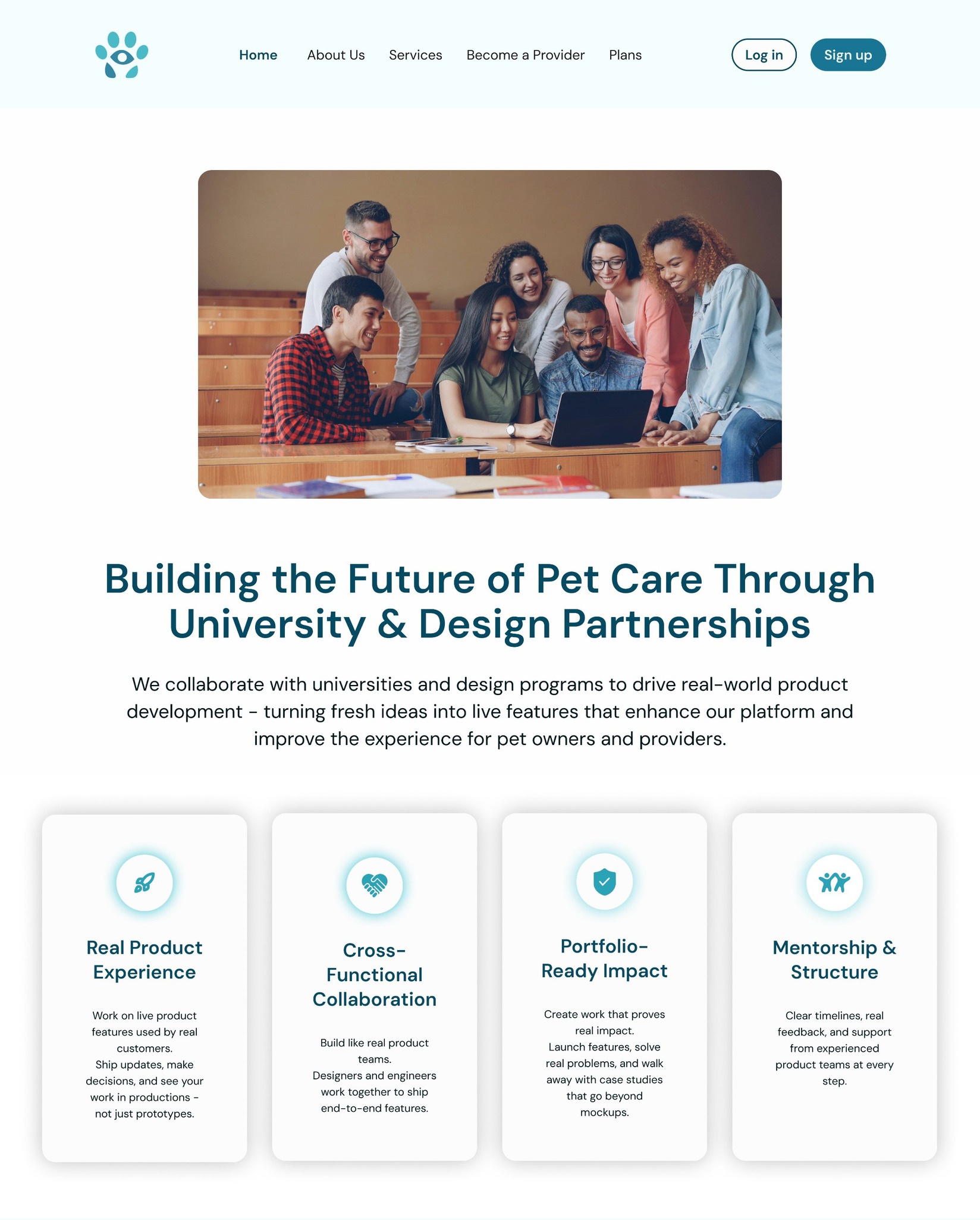 Click to view the full page
Iterated with stakeholders, shipped dev-ready
- Presented explorations and rationale, then ran multiple feedback cycles with product, engineering, and leadership.
- Addressed usability considerations before development to prevent rework downstream.
- Finalized polished designs with annotations so engineering could implement with confidence.
How to read these: the pages below are the dev-ready deliverables, annotated for the engineers who build them. Each callout names a section's purpose and the goal it serves, so the design intent, not just the layout, carries into production.
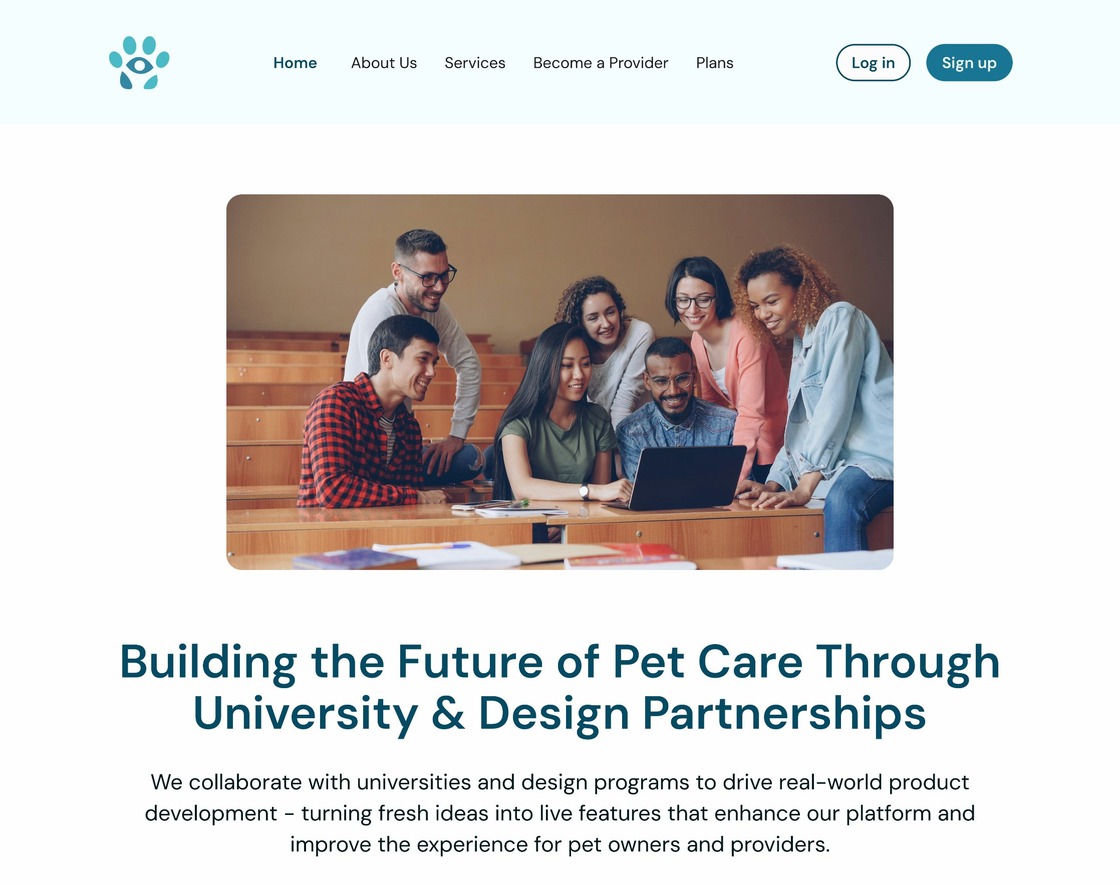
Hero section
Establish credibility immediately and explain what these partnerships represent.
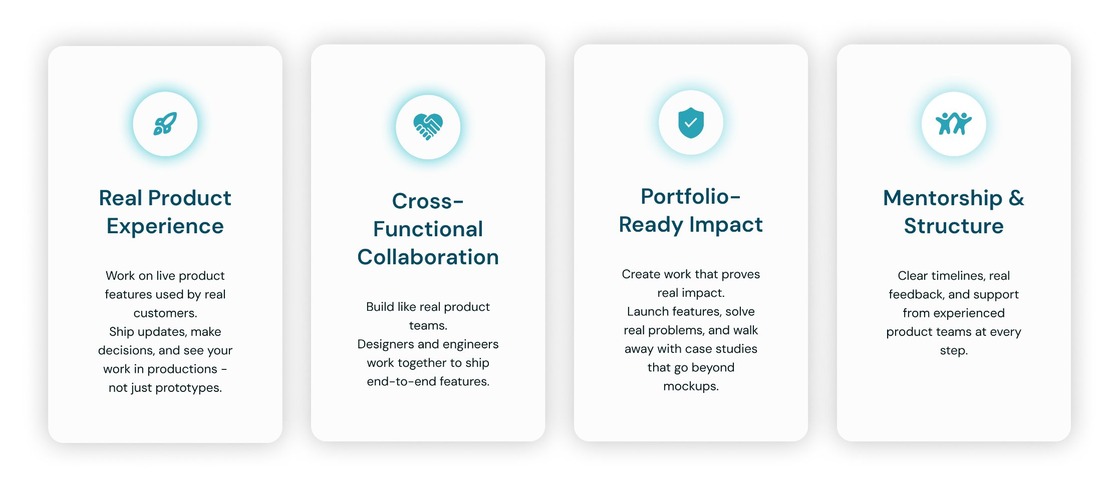
Value cards
Explain why these partnerships matter and the value of working with schools and design programs.
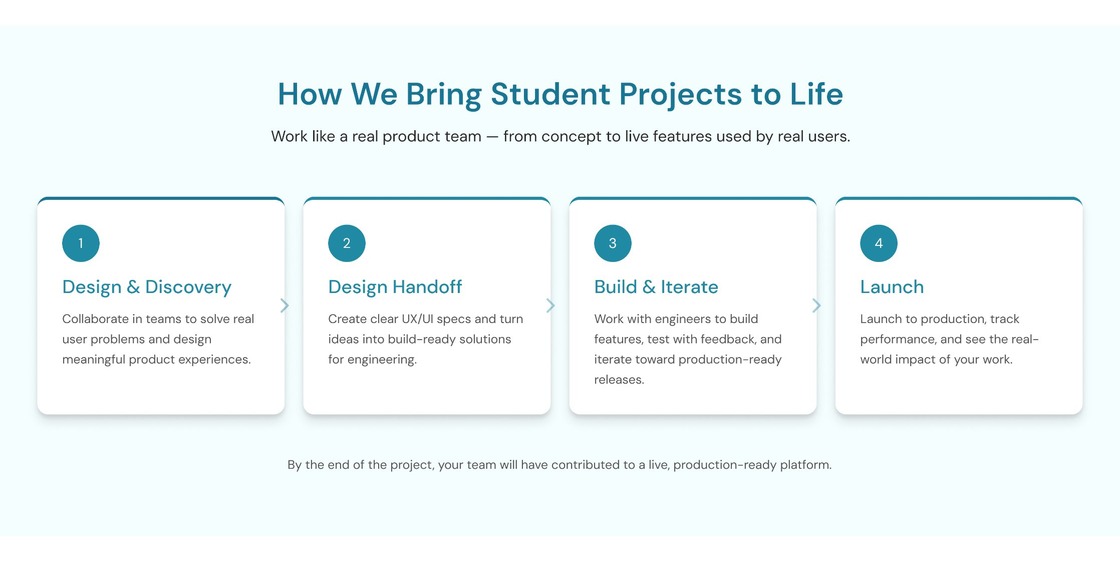
How it works
Help students understand what they're signing up for.

University & design program logos
Showcase the schools involved and the credibility they bring.
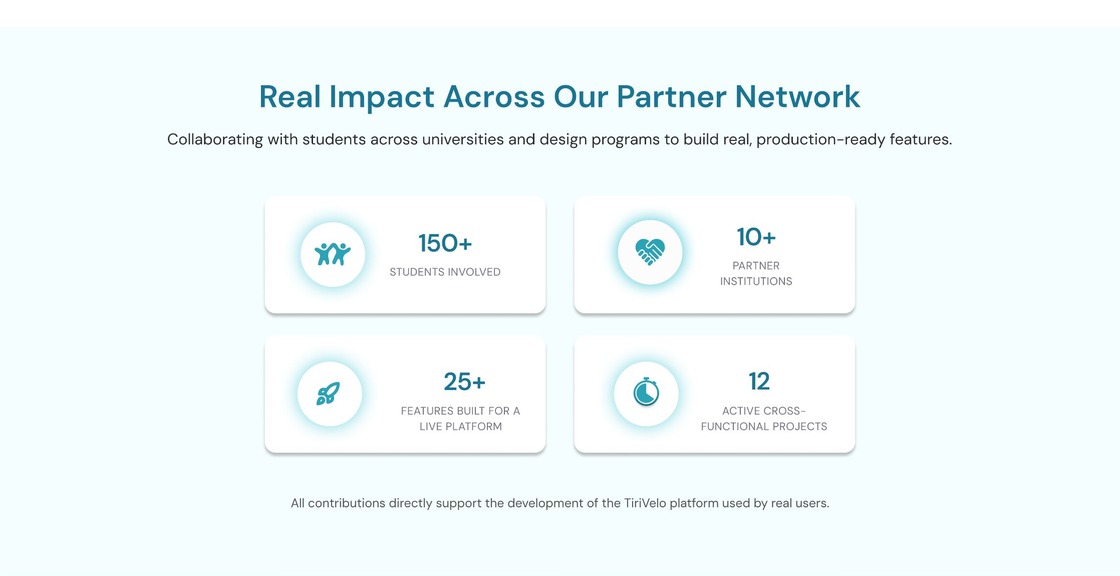
Partnership impact
Show the scale and impact of these collaborations.
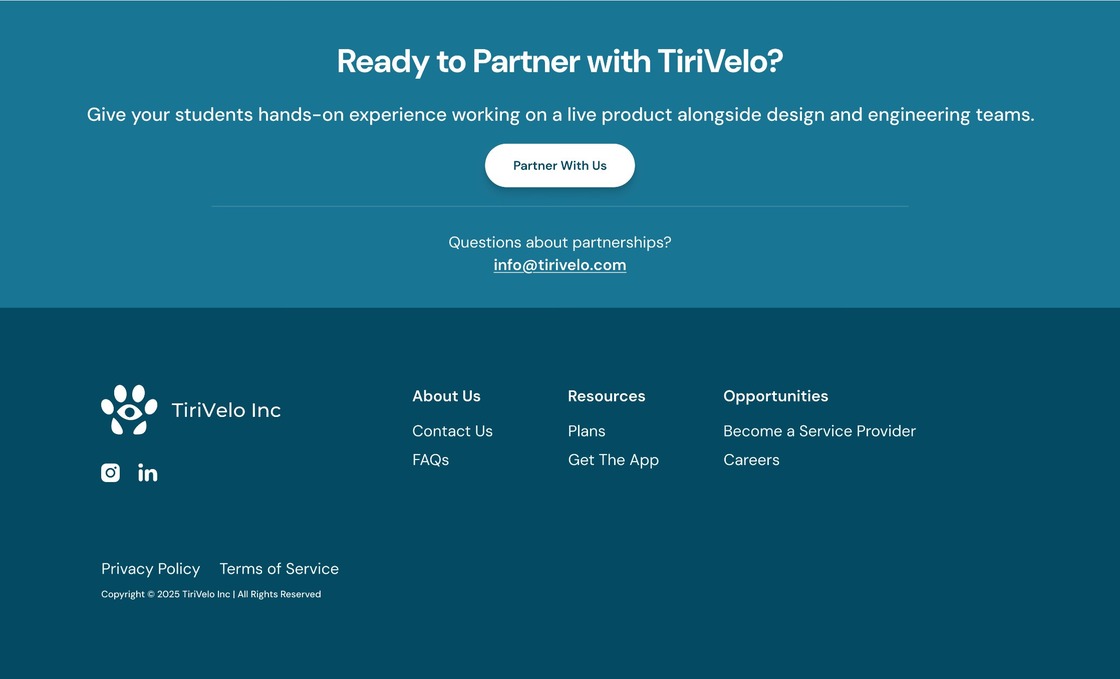
"Ready to partner" call to action
Give interested visitors a clear next step, turning curiosity into an inquiry or partnership conversation.
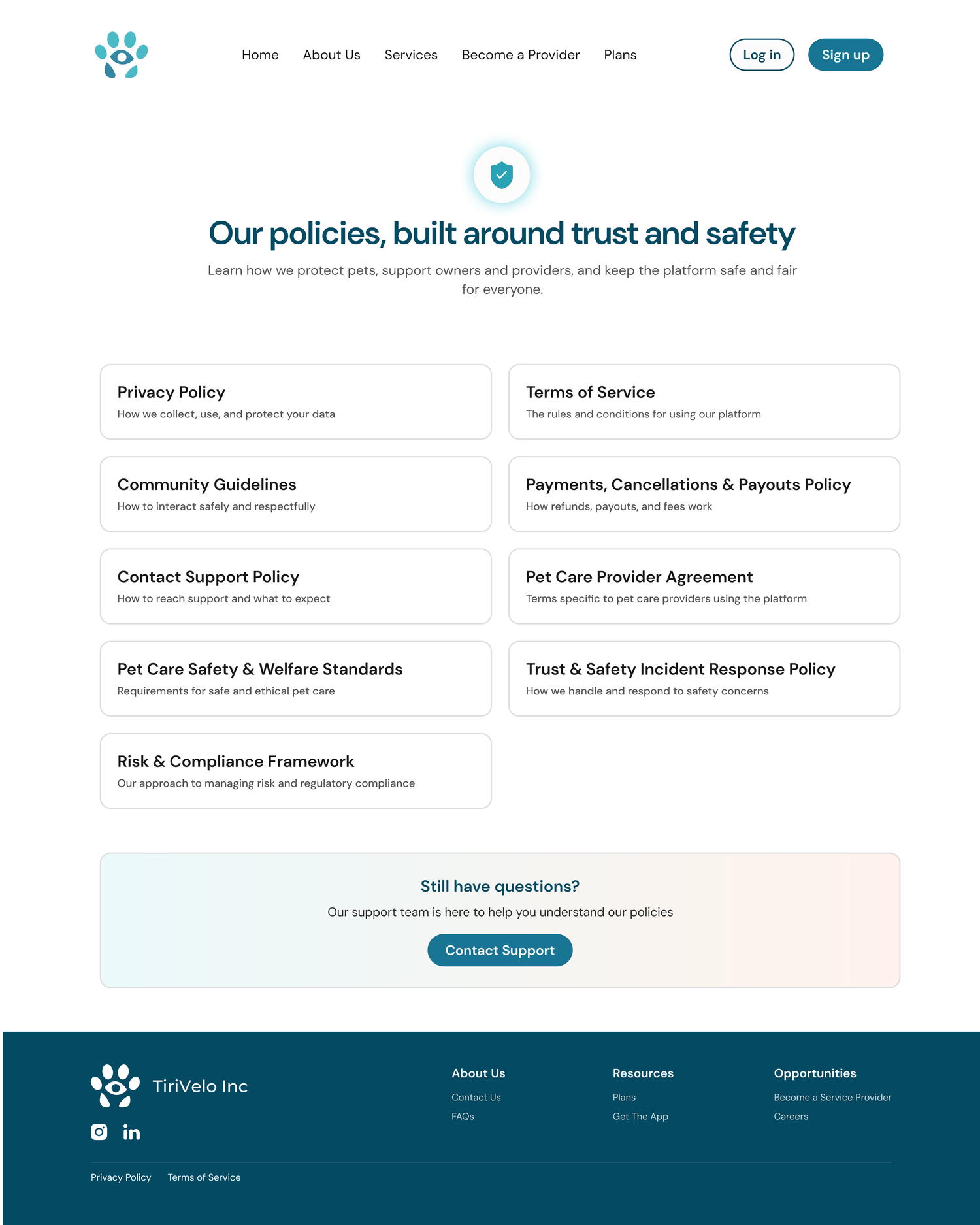
Purpose
Centralize all legal, privacy, and policy information so users can easily find and trust how the platform operates.
- Quick access to key legal documents.
- Content organized in a clear, scannable format to reduce friction.
- Reinforces credibility by making policies easy to locate and understand.
Why it matters
- Builds trust and compliance confidence before someone books or becomes a provider.
- Reduces support requests by giving users self-serve access to key information.
- Helps the platform meet legal and transparency expectations.
Outcome: a cohesive, conversion-driven experience
New pages and flows that feel consistent with the existing brand, reduce friction across discovery, onboarding, and booking, and strengthen trust through clearer messaging, supporting both acquisition and long-term engagement.
- Smoother path from learning about the platform to taking action.
- Stronger trust signals at every high-stakes moment, from first visit to post-service review.
- A repeat-booking loop built into the end of the service journey.
▶ Open the dev-ready prototype Figma ↗"Her designs were not only visually appealing, but also grounded in real-world application, making them practical for development and implementation. … Her work has had a lasting impact on the direction of our platform and continues to influence ongoing design efforts."
Michael Navarro, Founder & CEO, TiriVelo Inc.