Overview
Fast payments, quiet doubts
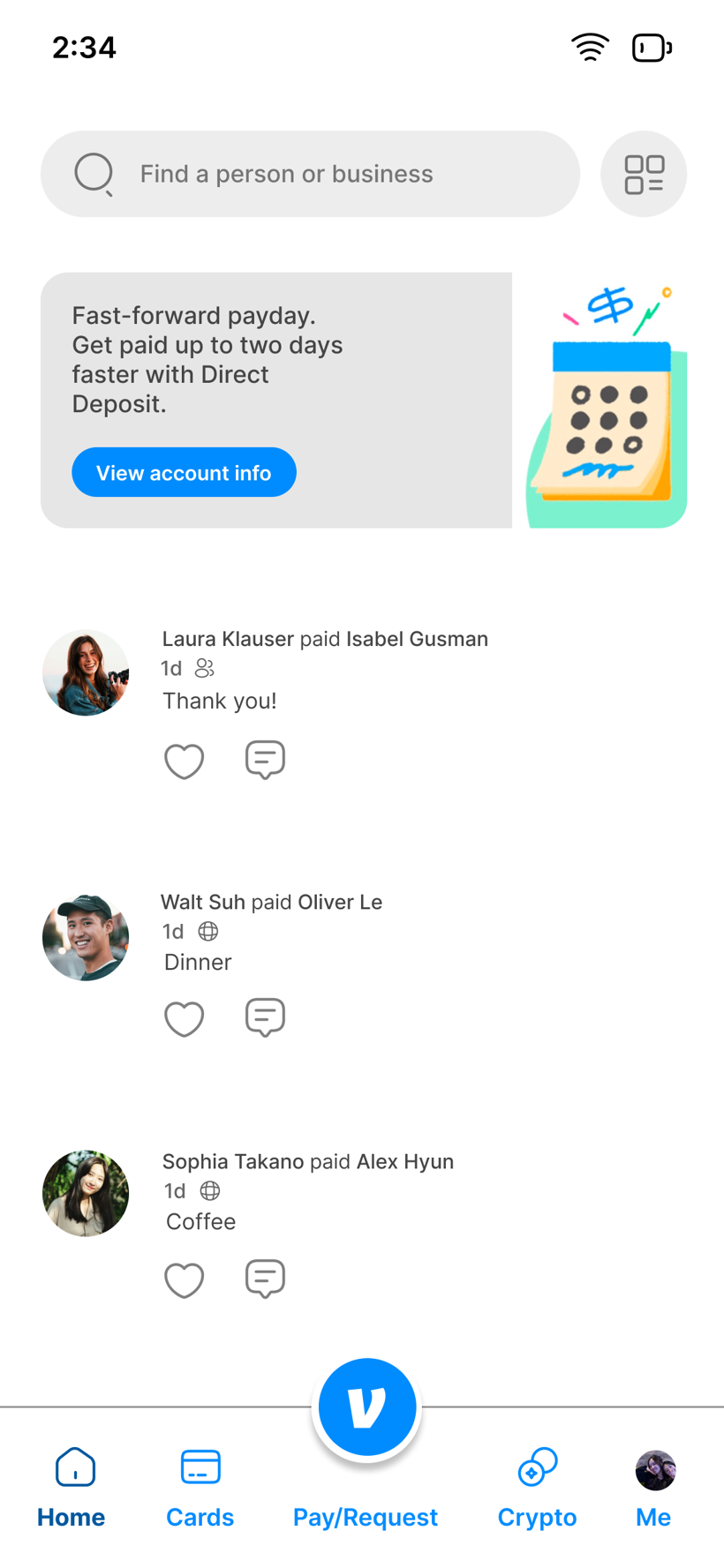
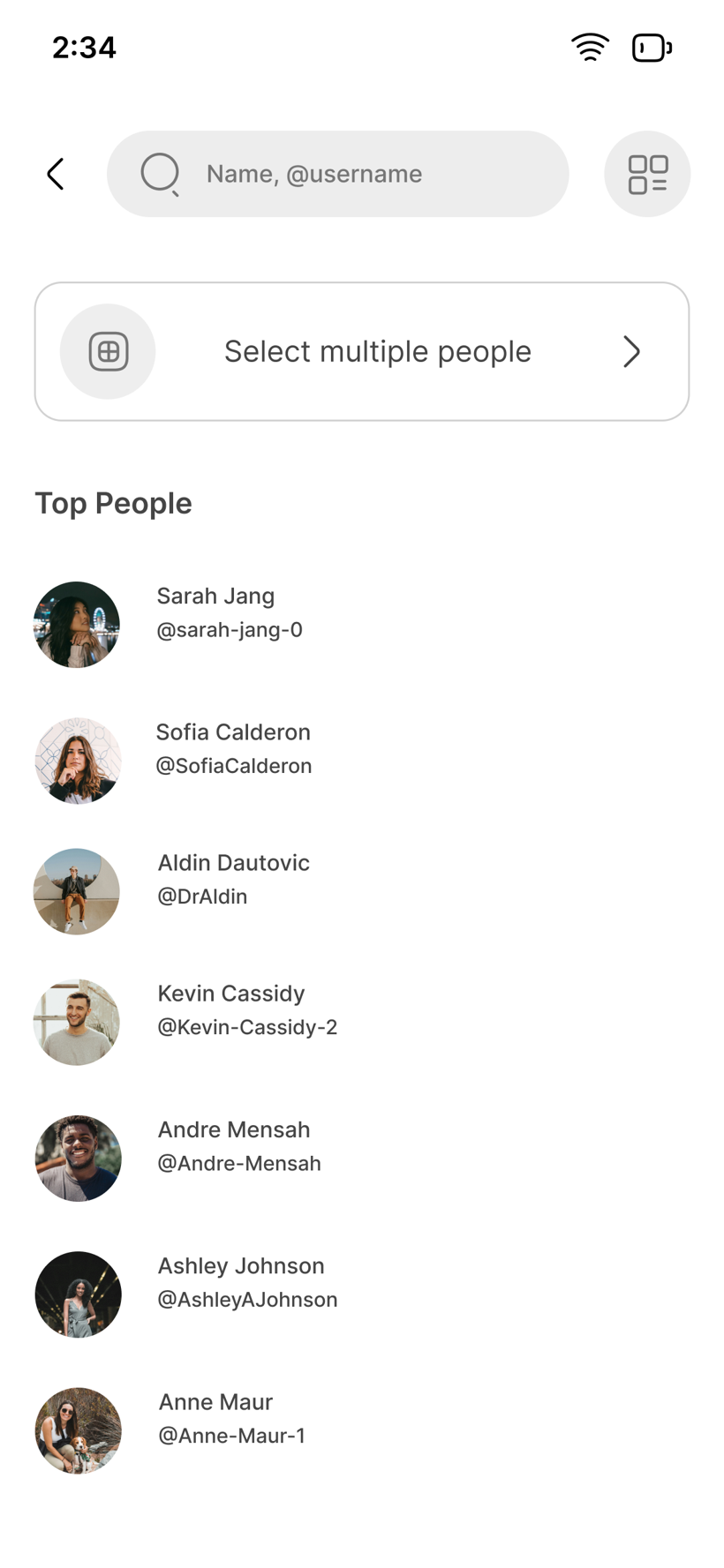
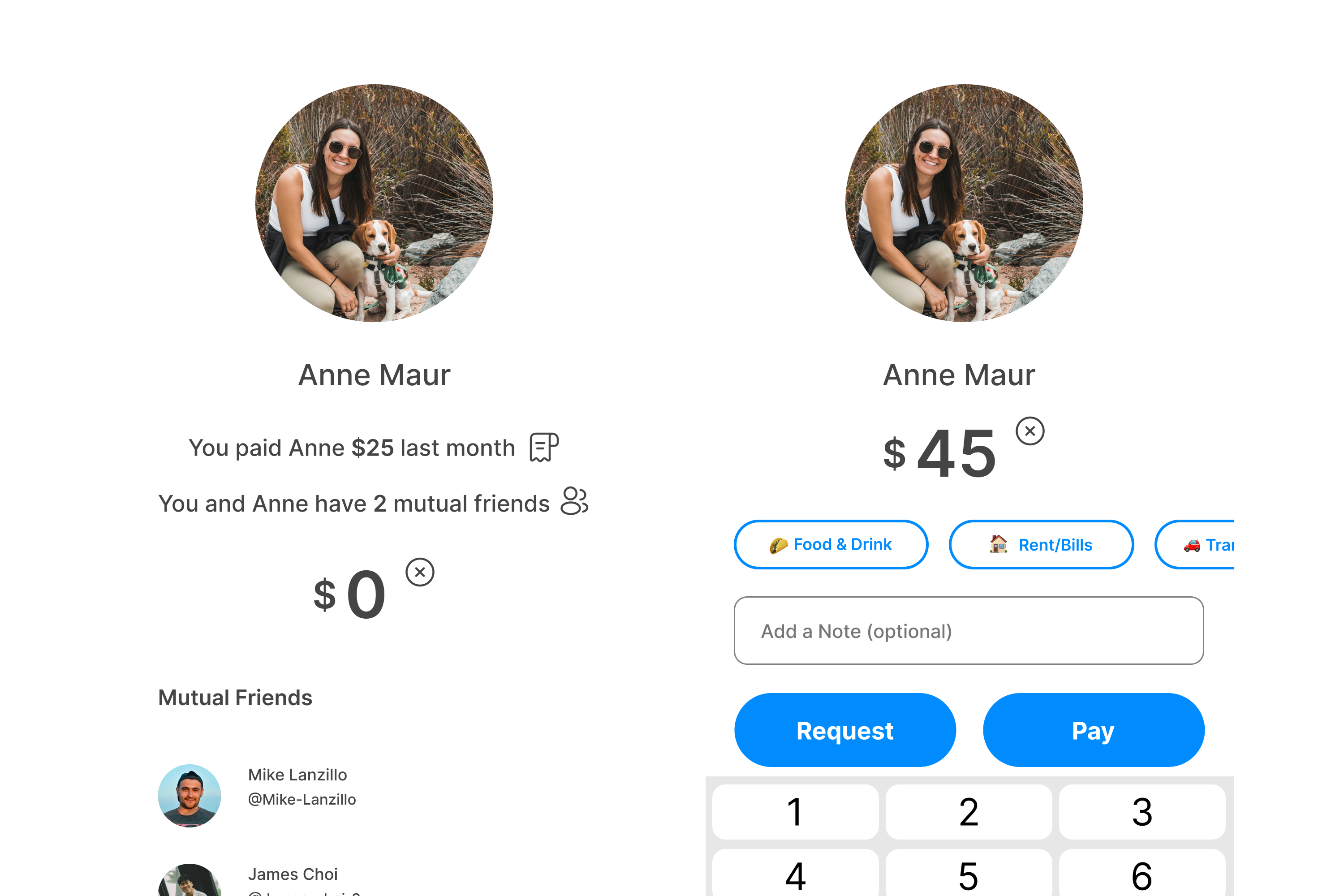
Venmo makes sending money quick, but speed cuts both ways. Users misread similar usernames, feel anxious before first-time or larger payments, and know mistakes are hard to undo, which creates stress and avoidable support tickets. I designed Recipient Confirmation: familiarity indicators (profile photo, mutual friends, last interaction) plus a pre-send check for new recipients, raising confidence and reducing misdirected payments while staying true to Venmo's brand.
Two users, one shared anxiety
Interviews surfaced two clear profiles, and one feeling they both share at the moment of sending.

Goals
- Send money when she splits bills with friends
- Buy small goods from mom-and-pop shops that don't take cards
- Feel trust and security sending through a payment app
- Keep the app simple and easy to use
Painpoints & frustrations
- Fear of sending money to the wrong person
- Confusion when a profile is unclear — e.g. no photo to identify
- Anxiety right before confirming a payment
- Recipient IDs that are unrecognizable
Behaviors
- Pays immediately after a request, so she won't forget
- Sends in quick contexts — food and drinks
- Relies heavily on profile photos and names
Needs & opportunities
- Clear confirmation of amount and recipient before sending
- Extra verification when picking a first-time recipient
- Immediate signal the payment reached the right person

Goals
- Send for trips, fantasy football, and marketplace furniture buys
- Make sure money goes to the right person, every time
- Avoid awkward follow-ups or disputes
- Feel confident payments are documented and recoverable
Painpoints & frustrations
- Anxiety on larger amounts, knowing payments are hard to reverse
- Confusion confirming the right person when contacts share names or photos
- Uncertainty after paying — success states don't feel final
Behaviors
- Double-checks recipient details before sending
- Reads confirmation screens carefully
- Screenshots transactions "just in case"
- Uses notes and emojis intentionally for clarity
Needs & opportunities
- Stronger visual confirmation of recipient identity and amount
- Clearer language around the final confirmation
- Reassurance cues before the payment goes through
Different habits, same hesitation: Nina moves fast and Samuel double-checks, but both stall at the same moment — the instant before money leaves, unsure they have the right person.
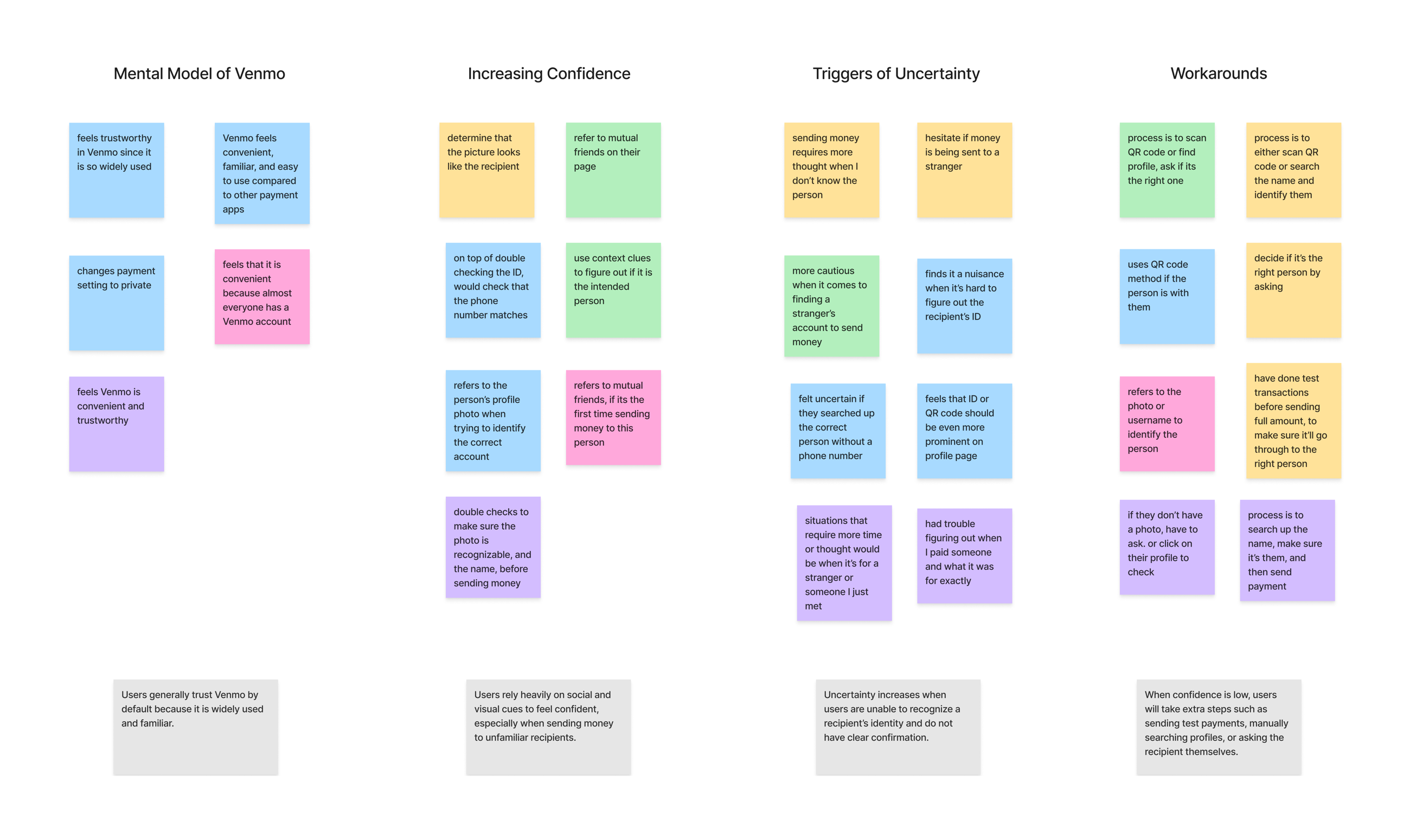
The affinity map distilled five in-depth interviews into four core insights, and these shaped every decision that followed:
People trust Venmo by default; it's familiar and widely used.
"I've used it for a while now, so it's familiar and I trust it."Participant 1They rely on social and visual cues to feel confident, especially with unfamiliar recipients.
"I use context clues — their profile, mutual friends, who they've recently paid."Participant 2Uncertainty spikes when they can't recognize who they're paying and lack clear confirmation.
"It's a nuisance when I can't figure out the recipient's ID, or I'm not sure I have the right one."Participant 3Low confidence triggers workarounds: test payments, manual profile searches, or just asking the person.
"I'll do a $1 test transaction first; once it goes through, I go ahead."Participant 4Aligning user, business, and technical goals
I mapped where the three overlap, so the feature would earn its place for everyone, not just feel safer.
User goals
- Pay the correct person
- Feel confident before confirming
- Stay fast and habitual
- No awkward follow-ups
Business goals
- Higher payment completion
- Fewer errors & disputes
- Lower support volume
- Stronger trust & reliability
Technical
- Similar names, outdated photos
- Backend can lag the UI
- Confirmation must be accessible across devices
The concept, and the idea I cut
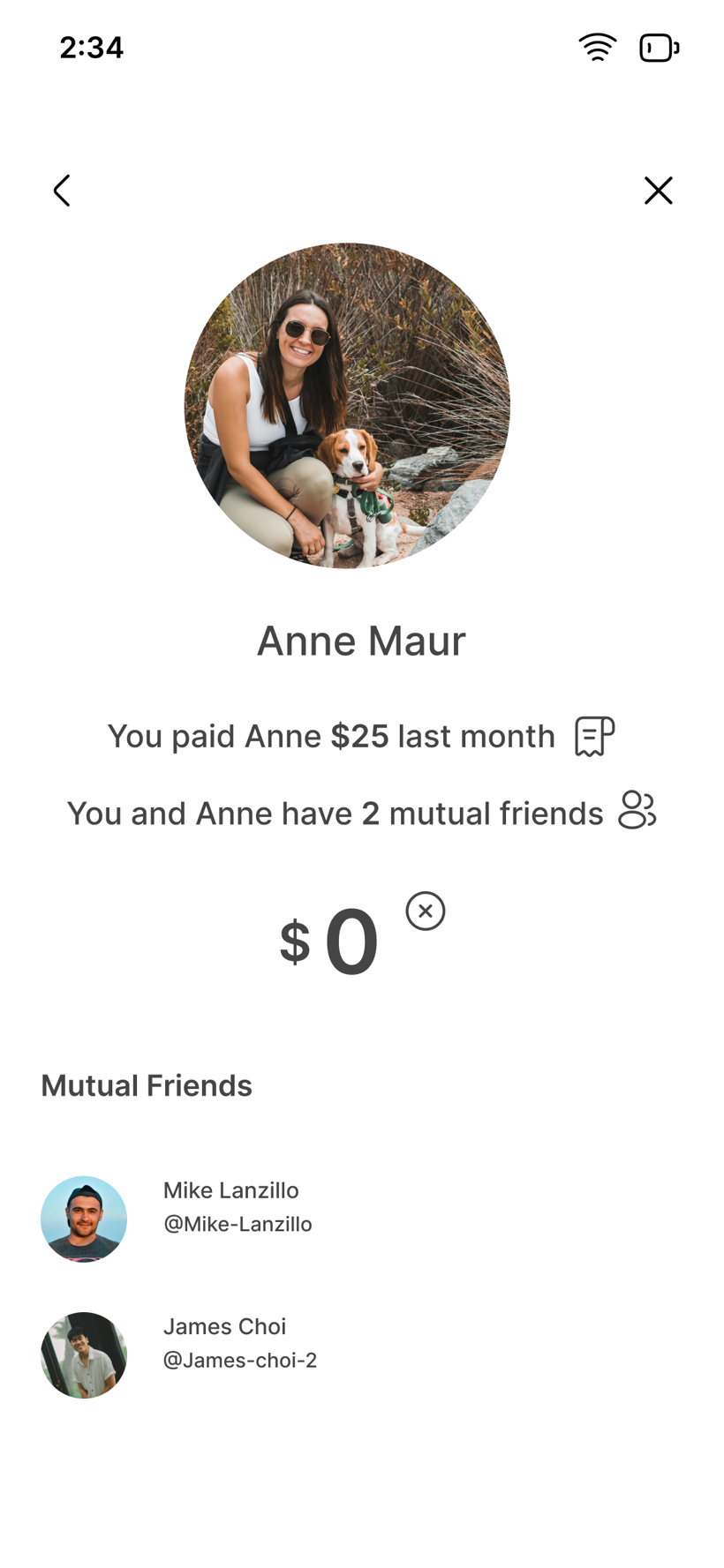
Recipient Confirmation surfaces trust cues at exactly the moment of doubt:
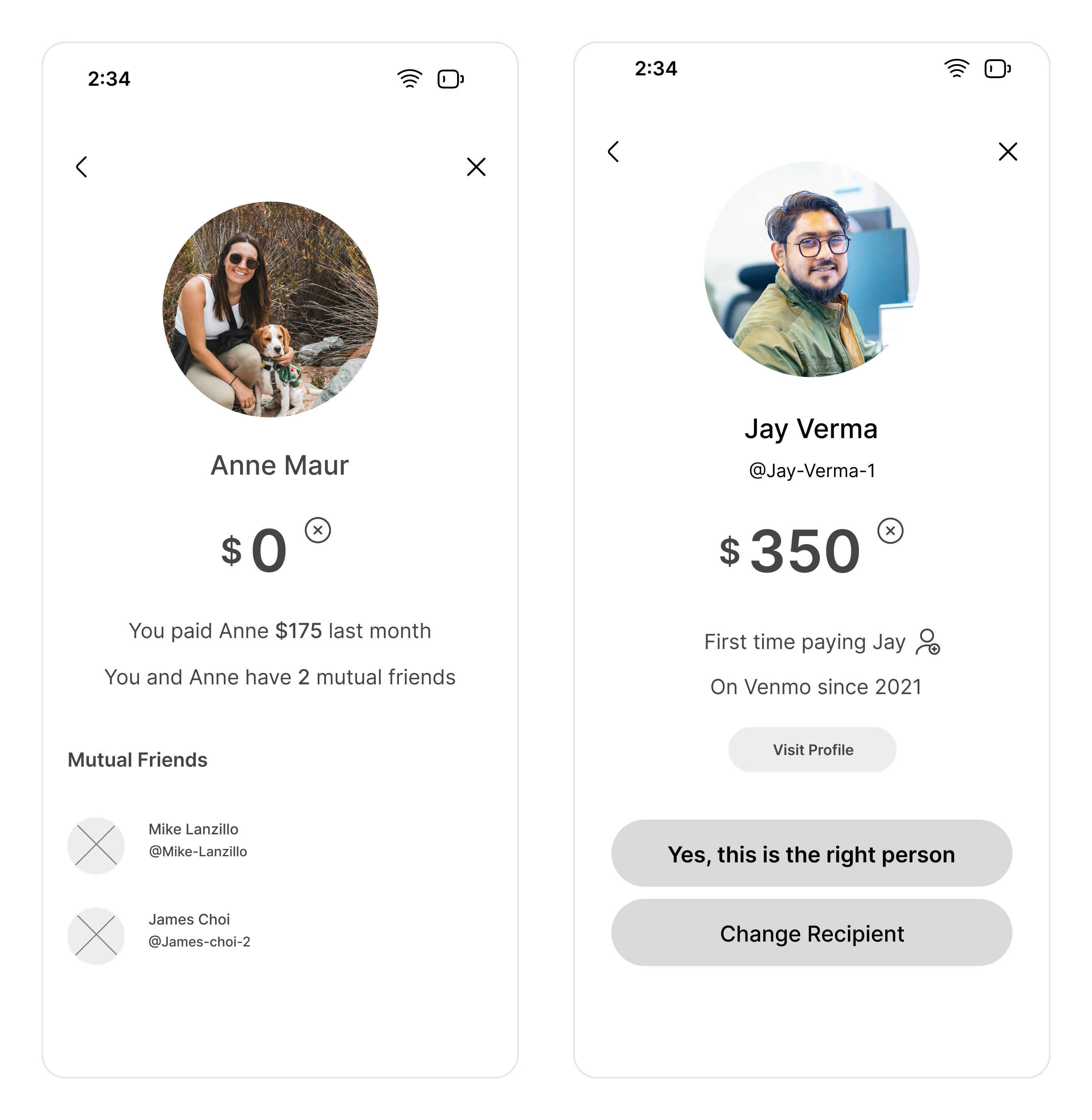
- Familiar recipients show context: "You paid Anne $175 last month" and "you and Anne have 2 mutual friends."
- New recipients are clearly flagged ("First time paying Jay · On Venmo since 2021") with an explicit Yes, this is the right person / Change recipient choice.
Key decision
Cut the step that didn't earn its friction
Trust features tend to pile on checks; I removed one instead. An early recipient verification code tested as too much friction for everyday payments, so I cut it. The deliberate confirmation earns its place only where doubt is real, a new or unfamiliar recipient, and stays out of the way for the routine sends people make every day.
 1
2
3
4
1
2
3
4
- 1"You paid Anne $175 last month" — prior history signals an established, trusted relationship.
- 2Mutual friends, by count and name, add social proof for a familiar recipient.
- 3"First time paying Jay · On Venmo since 2021" flags an unfamiliar payee while still lending legitimacy.
- 4"Yes, this is the right person / Change recipient" forces a deliberate confirmation before sending to someone new.
Tested across two rounds
I validated the concept at mid-fidelity, then pressure-tested the polished version, measuring completion, time to confidence, and whether the trust cues actually registered.
Round 1 · Mid-fi
5 users · moderated
- Flow felt intuitive but barely distinct from normal Venmo.
- Hesitation at amount entry signalled a weak "what next?" hierarchy.
- Confirmed indicators reassured without feeling like extra steps.
Round 2 · Hi-fi
4 users · prototype
- The confirmation read as defensive, not protective.
- Familiarity indicators were too quiet; some users missed them.
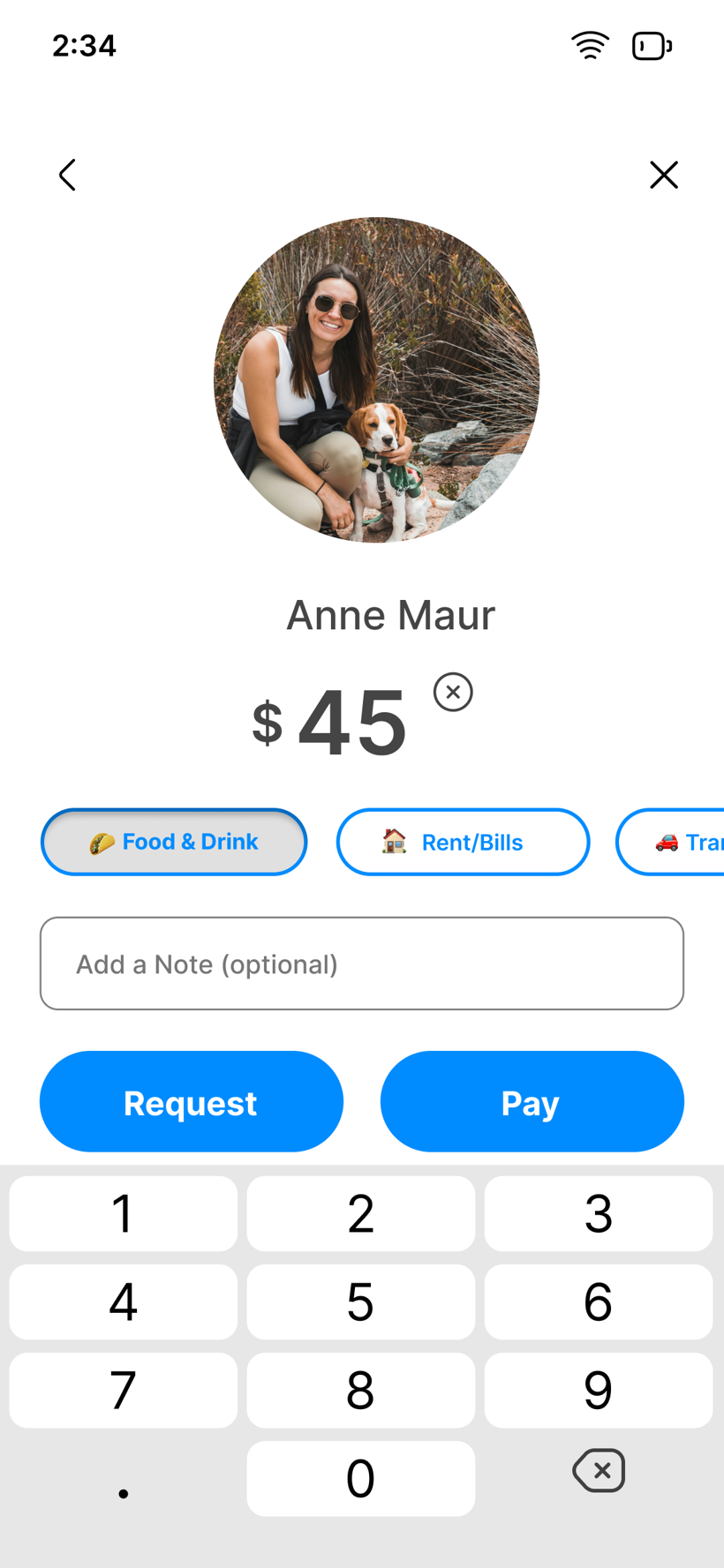
- Memo field felt ambiguous; category buttons were an easy win.
"It feels like the business's way of not being liable."
Usability test participant, on the confirmation stepIterated for prominence and a supportive tone
Round 2 surfaced three specific friction points. I paired each with a targeted change, then carried them into the design — the reframed confirmation below shows the supportive tone realized in the final screen.
ChallengeFamiliarity indicators were too quiet, and some users missed them entirely.
ChangeLifted the familiarity cues up the hierarchy so last-payment and mutual-friend context have real presence at the moment of doubt.
ChallengeThe confirmation read as defensive, the business covering itself, rather than protective.
ChangeRewrote the copy to emphasize protection and reassurance, not liability, so the check feels supportive instead of accusatory.
ChallengeThe "what next" hierarchy was weak and the memo field felt ambiguous.
ChangeClarified the next step with stronger visual cues, labelled the memo optional, and added quick category buttons.
 1
2
1
2
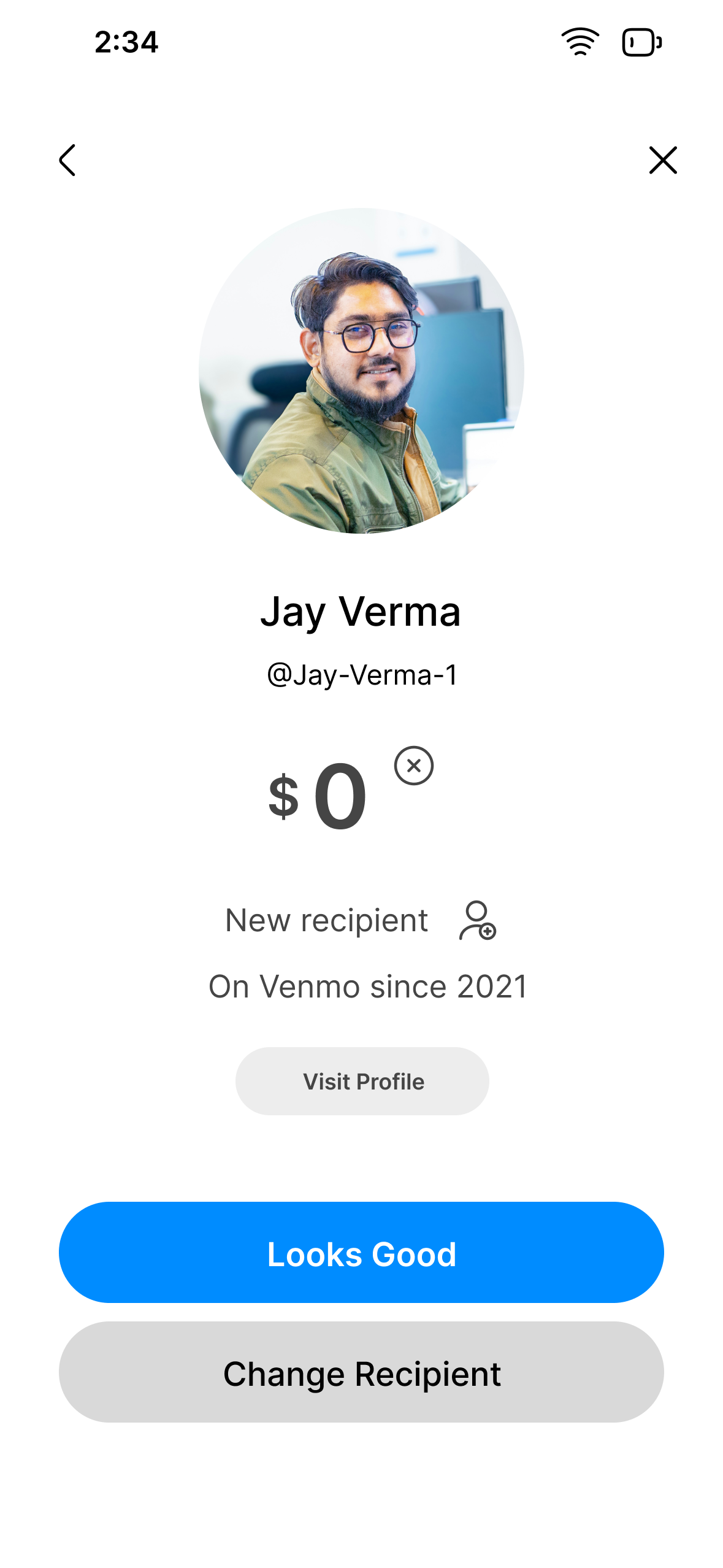
The final new-recipient confirmation — reframed as neutral context, with a reassuring confirm. Tap to enlarge.
- 1Reframed the first-time flag: "First time paying" → "New recipient." Neutral context, not a suspicion cue.
- 2Softened the confirm button: "Yes, this is the right person" → "Looks Good." Reads as reassurance, not legal sign-off.
Outcome: a calmer, more confident send
The refinements came together in a high-fidelity interactive prototype with identity-rich recipient previews and a reassuring confirmation. My biggest takeaway: reassurance has to feel supportive, not interruptive.
For users
- Fewer mistakes and misdirected payments.
- Peace of mind on first-time and larger sends.
For Venmo
- Fewer disputes and support tickets.
- More trust → higher transaction volume.